If you’re into IPTV, you’ve undoubtedly heard the name TiviMate. It’s widely regarded as the best, most robust, and most user-friendly IPTV player available.
This complete guide will walk you through everything you need to know: from what TiviMate is, to installing it on every major device using the TiviMate downloader code 272483, and finally, how to get TiviMate Premium features to transform your TV viewing experience.
What is TiviMate IPTV Player?
TiviMate is an exceptional Android-based application designed specifically for watching IPTV (Internet Protocol Television). Unlike many clunky and basic IPTV apps, TiviMate provides a sleek, TV-friendly interface that mimics the look and feel of traditional cable or satellite services.
But its true power lies in its customization and stability. It turns a simple IPTV stream into a powerful, personalized TV service.
Why TiviMate is the Best IPTV Player
Beautiful, Customizable Interface: Change channel lists, themes, colors, and the electronic program guide (EPG) to your liking.
Unmatched Stability: It handles playlists and EPG data more reliably than most free players.
Multi-Playlist Support: Manage multiple IPTV subscriptions from different providers in one single app.
Catch-Up & Recording: With Premium, you can watch past shows (if your provider supports it) and even record live TV to external storage.
User-Friendly EPG: The TV guide is fast, responsive, and displays program information beautifully.
How to Install TiviMate on Any Device
Since TiviMate is an Android app, it can be installed on any device running Android or a modified version of it. The easiest way to install it on most streaming devices (like Fire TV Stick, Android TV, etc.) is by using the Downloader app. For installing The App Click Here
Step 1: Enable Installation from Unknown Sources
Before you can install TiviMate, you need to allow your device to install apps from outside its official store.
On Firestick/Fire TV: Go to Settings > My Fire TV > Developer Options.
Turn ONApps from Unknown Sources.
If you don’t see Developer Options, go to Settings > My Fire TV > About and click on “Fire TV Stick” 7 times until you see a message.
On Android TV/Google TV: Go to Settings > Security & Restrictions and enable Unknown Sources.
Step 2: Install the Downloader App
From your device’s home screen, use the search function and look for “Downloader“.
Select the Downloader app (by AFTVnews) and install it.
Open the Downloader app. The first time you open it, it may ask for permission to access files. Grant the necessary permissions.
Step 3: Use the TiviMate Downloader Code
This is the fastest method. The Downloader app can use codes to pull files directly from a source.
In the Downloader app, you’ll see a URL field. Click in it and enter the code: 272483
Click “Go”. The Downloader will now fetch the latest TiviMate APK file from a trusted source.
The file will download automatically. Once finished, an installation prompt will appear.
Click Install. The process will only take a minute.
Once installed, click Done, and then Delete the APK file to save space. You do not need to keep it.
Congratulations! You have successfully installed the TiviMate IPTV player. You can now find its icon in your app list.
How to Get TiviMate Premium Features (It’s Worth It!)
The free version of TiviMate is great, but TiviMate Premium unlocks the app’s true potential, making it an unbeatable IPTV solution.
What You Get with TiviMate Premium:
Unlock All Playlist Slots: Use more than one playlist.
DVR Recording Functionality: Record live TV to a USB drive or network storage.
Catch-Up Support: Easily access and watch programs that have already aired.
Advanced Playback Controls: Timeshifting (pause/rewind live TV).
No Ads: A completely clean, ad-free experience.
How to Activate TiviMate Premium
TiviMate Premium is a subscription managed through the companion app “TiviMate Companion,” which is only available on the Google Play Store. You cannot pay for Premium within the TiviMate app itself.
Here’s the process:
Install TiviMate Companion: You need an Android phone or an Android emulator on your PC (like BlueStacks). On that device, search for and install the “TiviMate Companion” app from the Google Play Store.
Create/Login to an Account: Open the Companion app. You will need to log in with a Google account. This account is used to manage your subscription.
Purchase the Subscription: Inside the Companion app, you will see the option to purchase a subscription. It’s typically offered as an annual or lifetime fee. Choose your plan and complete the payment.
Activate Premium on Your TV: Now, go back to the TiviMate app on your TV.
Open TiviMate and go to Settings > Unlock Premium.
You will be given a unique code.
On your phone, inside the TiviMate Companion app, select “Unlock Premium” and enter that code.
The app will link your subscription, and your TV version will be unlocked instantly!
How To Set Your IPTV Service on TiviMate App
To start watching, you need to add your IPTV provider’s details.
Open TiviMate and go to Settings > Playlists.
Click “Add Playlist”.
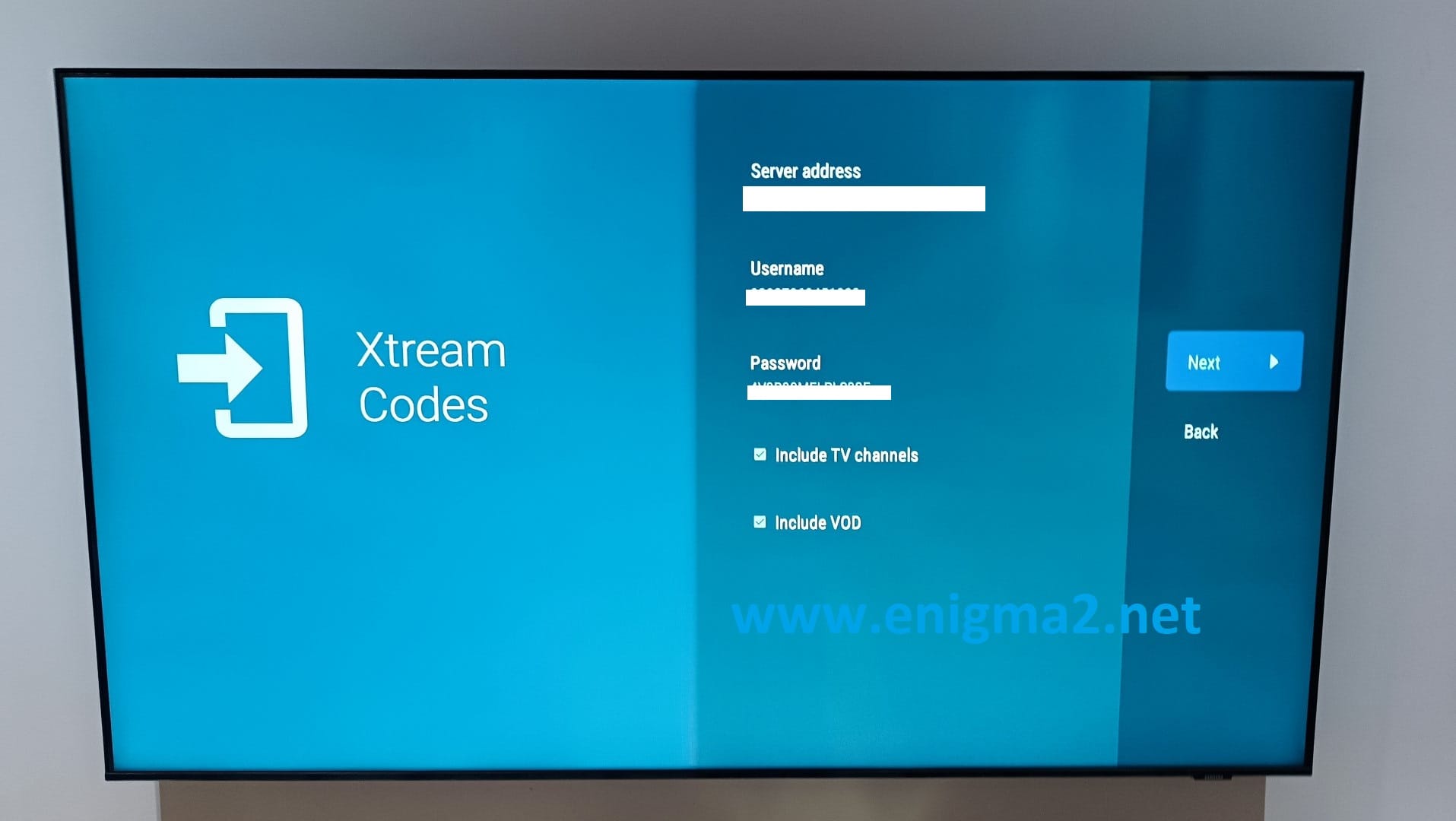
You can usually add via “Xtream Codes” which is the easiest method. You will need:
URL: The server URL from your provider.
Username: Your subscription username.
Password: Your subscription password.
Enter the details, and TiviMate will fetch your channels and EPG data automatically.
Important Disclaimer: TiviMate is a player only. You must provide your own legal IPTV subscription service. We do not provide or endorse any specific IPTV service.
Final Thoughts
By following this guide, you have installed the best IPTV player on the market using the simple downloader code 272483 and learned how to unlock its powerful TiviMate Premium features. The combination of a reliable player like TiviMate and a good IPTV provider will genuinely revolutionize how you watch television, offering unparalleled control and a premium viewing experience.
Contains information related to marketing campaigns of the user. These are shared with Google AdWords / Google Ads when the Google Ads and Google Analytics accounts are linked together.
90 days
__utma
ID used to identify users and sessions
2 years after last activity
__utmt
Used to monitor number of Google Analytics server requests
10 minutes
__utmb
Used to distinguish new sessions and visits. This cookie is set when the GA.js javascript library is loaded and there is no existing __utmb cookie. The cookie is updated every time data is sent to the Google Analytics server.
30 minutes after last activity
__utmc
Used only with old Urchin versions of Google Analytics and not with GA.js. Was used to distinguish between new sessions and visits at the end of a session.
End of session (browser)
__utmz
Contains information about the traffic source or campaign that directed user to the website. The cookie is set when the GA.js javascript is loaded and updated when data is sent to the Google Anaytics server
6 months after last activity
__utmv
Contains custom information set by the web developer via the _setCustomVar method in Google Analytics. This cookie is updated every time new data is sent to the Google Analytics server.
2 years after last activity
__utmx
Used to determine whether a user is included in an A / B or Multivariate test.
18 months
_ga
ID used to identify users
2 years
_gali
Used by Google Analytics to determine which links on a page are being clicked
30 seconds
_ga_
ID used to identify users
2 years
_gid
ID used to identify users for 24 hours after last activity
24 hours
_gat
Used to monitor number of Google Analytics server requests when using Google Tag Manager
1 minute
Marketing cookies are used to follow visitors to websites. The intention is to show ads that are relevant and engaging to the individual user.
Google Maps is a web mapping service providing satellite imagery, real-time navigation, and location-based information.



 Written by James